

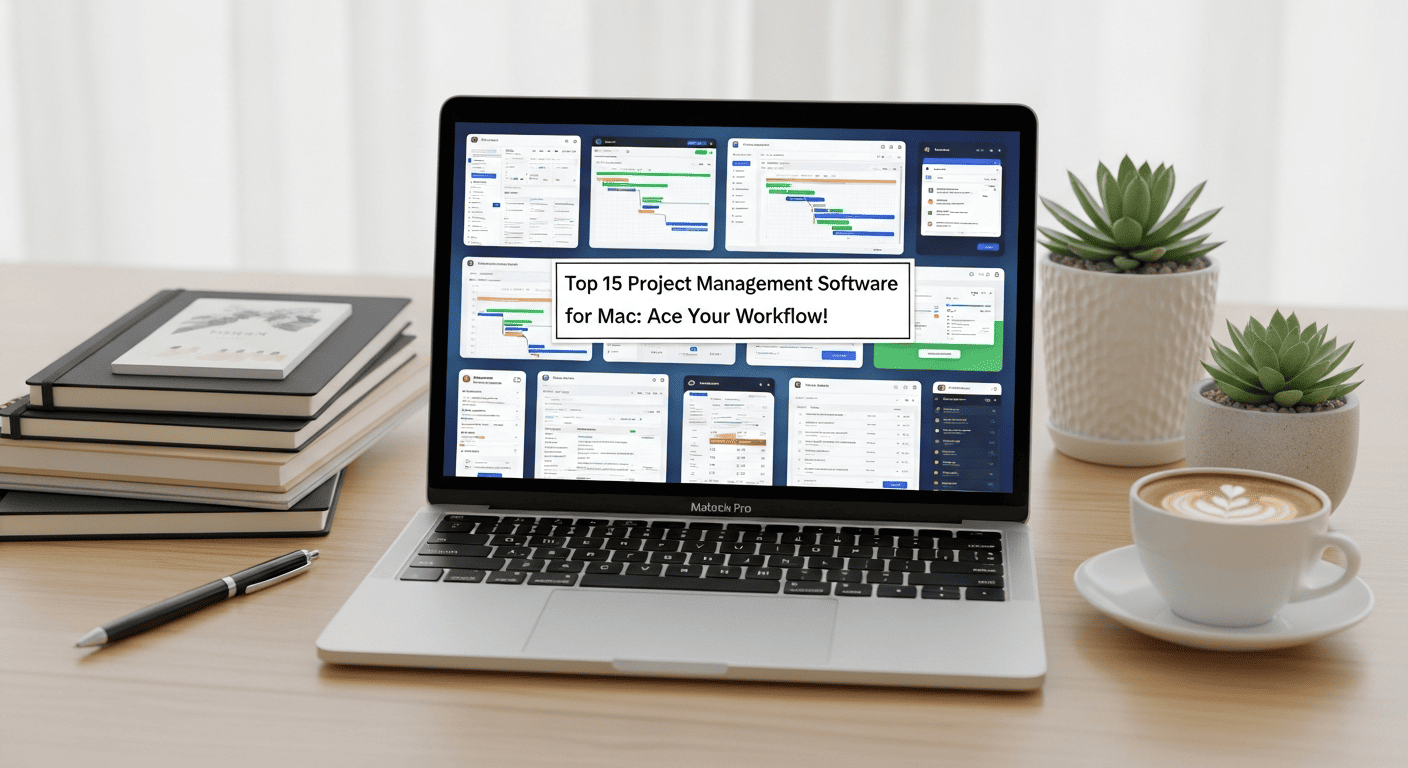
In this electrifying blog post, we’ll unveil the top 15 project management software for Mac that will turbocharge your workflow like never before. So fasten your seatbelts and get ready to soar through the world of project management!
Read more: Free project planning software for MAC 2026
How We Selected The Best PM Software For Mac
When selecting the best project management software for Mac, the following factors were taken into consideration:
- User Interface (UI): The software’s UI was evaluated to determine if it had a clean and attractive design that would be appealing to Mac users. Since Mac users are accustomed to a high level of aesthetic appeal, it was important to select a software with a visually pleasing interface.
- Usability: The ease of learning and mastering the software was considered. It was important to assess whether the software offered good technical support, user support, tutorials, and training resources. Additionally, the availability of phone apps or a cloud platform for easy access from anywhere was taken into account.
- Integrations: The software’s ability to integrate with other project management tools was an important factor. Seamless integration with commonly used tools enhances productivity and streamlines workflows. The ease of connecting with other tools was assessed to ensure compatibility and efficient data sharing.
- Pricing: The initial price of the software was considered, along with any available free trials or free versions. Evaluating the pricing structure helped determine the software’s affordability and value for money. Free trials or free versions allowed for testing the software’s features and suitability before making a commitment.
By carefully evaluating and comparing project management software based on these factors, the best PM software for Mac was selected.
1. Asana – The Navigator of Collaboration

Ahoy there, fellow project management adventurers! Picture yourself gliding through your projects with the wind at your back, guided by the impeccable navigation skills of Asana. This extraordinary software is your ultimate collaborator, ensuring smooth sailing from start to finish.
With Asana is a project and team management software as your trusty navigator, you’ll effortlessly create tasks and set deadlines, leaving no room for confusion or missed opportunities. Say goodbye to the chaos of scattered emails and disconnected spreadsheets! Asana brings your team together on a single platform, enabling seamless collaboration and real-time updates that keep everyone in sync.
No more wasting precious time searching for the latest project updates or chasing down teammates for status updates. Asana acts as your co-captain, ensuring that everyone is on the same page and moving in harmony towards your project goals. It’s like having a compass that points you directly to success!
But that’s not all. Asana offers a treasure trove of features to streamline your workflow. Assign tasks, track progress, and monitor deadlines with ease. Collaborate on documents, share files, and engage in meaningful discussions within the platform. Asana’s intuitive interface makes navigating through your projects a breeze, so you can focus on what truly matters—achieving your objectives.
Imagine the satisfaction of watching your projects smoothly sail towards completion, with Asana as your guiding star. Efficiency becomes second nature as you harness the power of this remarkable software. Ahoy, productivity!
So, my fellow project management enthusiasts, set your course for success with Asana at the helm. Embrace the seamless collaboration, efficient task management, and real-time updates it offers. Let Asana be your navigator, and watch your projects thrive on the waves of productivity. Fair winds and following seas await you!
Asana Standout Features & Integrations
Asana is a popular project management and collaboration tool that offers several standout features and integrations. Here are some of the key features and integrations of Asana:
Standout Features:
- Asana provides a robust task management system that allows you to create, assign, and organize tasks. You can set due dates, priorities, and dependencies, and track the progress of tasks in real time.
- Asana helps you organize your projects by creating project boards and task lists. You can break down projects into smaller, manageable tasks and keep all project-related information and files in one place.
- Asana fosters collaboration among team members by enabling them to comment on tasks, share files, and have discussions within the platform. It also offers features like @mentions and notifications to keep everyone updated.
- Asana offers a Kanban board view, known as “Boards,” which allows you to visualize your tasks and their progress using columns. You can easily move tasks between columns to reflect their status.
- The Timeline feature in Asana provides a visual representation of project schedules and dependencies. It helps you understand how tasks and projects are progressing over time and identify any potential bottlenecks.
- Asana allows you to automate repetitive tasks and workflows using its automation feature called “Rules.” You can set up rules to automatically assign tasks, update due dates, or send notifications based on specific triggers.
- Asana offers reporting and analytics features to track project progress, team productivity, and individual performance. You can generate custom reports, visualize data, and gain insights to optimize your workflows.
Integrations:
- Asana integrates with popular communication tools like Slack and Microsoft Teams, allowing you to receive Asana notifications and updates directly in your preferred messaging platform.
- Asana integrates with cloud storage platforms such as Google Drive, Dropbox, and Box. You can attach files from these services to tasks and projects, ensuring easy access to relevant documents.
- Asana can be integrated with time tracking tools like Harvest and Everhour. This integration enables you to track the time spent on tasks and projects, helping you with accurate billing and resource allocation.
- Asana integrates with calendar applications such as Google Calendar and Outlook. You can sync project due dates and milestones with your calendar, ensuring that you stay on top of your schedule.
- Asana offers integrations with analytics platforms like Tableau and Power BI. This allows you to visualize and analyze project data in more detail and create custom reports based on your specific requirements.
- Asana integrates with popular development tools like GitHub and Jira. This integration enables software development teams to connect their project management processes with their coding and issue tracking workflows.
These are just a few of the standout features and integrations that Asana offers. The platform has a wide range of capabilities that can be tailored to fit different project management needs and workflows.
2. Trello – The Master of Kanban Boards

Get your projects shipshape and organized with Trello! Whether you’re managing personal tasks or collaborating on a team project, Trello offers a powerful and intuitive project management platform that helps you stay on top of your work.
With its Kanban-style boards and user-friendly interface, Trello allows you to visualize your workflow, move tasks around effortlessly, and conquer your project management journey with ease.
One of the key features that make Trello such a versatile tool is its extensive range of power-ups. Power-ups are additional integrations and functionalities that enhance Trello’s capabilities and allow you to tailor it to your specific needs. These power-ups can be added to your boards, giving you access to a wide array of tools and services directly within the Trello interface.
If you’re someone who uses OmniFocus for personal task management, you’ll be delighted to know that Trello offers an integration with OmniFocus. With the Trello OmniFocus integration power-up, you can seamlessly connect the two platforms and synchronize your tasks and projects.
This integration eliminates the need for manual double-entry, ensuring that your tasks are always up to date in both Trello and OmniFocus. Now, you can leverage Trello’s visual Kanban boards while enjoying the advanced task management features of OmniFocus.
In addition to integrating with task management tools like OmniFocus, Trello also allows you to connect with Google Contacts. By adding the Google Contacts power-up to your Trello boards, you can access your contact list and collaborate with your contacts more effectively.
This integration is particularly useful when working on projects that involve client communication, as it allows you to quickly access contact information and maintain a centralized database within Trello.
Furthermore, Trello offers an integration with Airtable, a popular cloud-based spreadsheet and database management platform. With the Trello Airtable integration power-up, you can combine the flexibility of Airtable’s data organization with the visual power of Trello’s boards.
This integration enables you to link gantt chart trello cards to Airtable records, creating a seamless connection between your project management and data management workflows. Whether you’re tracking project progress, managing inventory, or analyzing data, the Trello Airtable integration empowers you to work smarter and more efficiently.
Trello is a project management tool that helps you streamline your workflow and keep your projects organized. With its Kanban boards, intuitive interface, and a wide range of power-ups, Trello provides a versatile platform for managing tasks and collaborating with others.
Whether you’re integrating with OmniFocus for personal task management, connecting with Google Contacts for streamlined communication, or combining with Airtable for data management, Trello’s integrations empower you to optimize your project management process and achieve greater productivity. Start using Trello today and experience the power of visualizing your projects and conquering your goals with ease.
Trello Standout Features & Integrations
Here are some of its standout features and integrations:
Standout Features:
- Trello utilizes a Kanban-style approach, allowing users to create and organize tasks using boards, lists, and cards. This visual representation makes it easy to track the progress of tasks and projects.
- Tasks or items are represented as cards in Trello. You can create lists to categorize and organize cards based on their status, priority, or any other criteria. Cards can be moved across lists as they progress through different stages.
- Trello facilitates collaboration among team members by enabling them to add comments, attachments, checklists, and due dates to cards. This ensures that everyone is on the same page and can communicate effectively within the context of specific tasks.
- Trello provides labels and tags that can be applied to cards to add additional context or categorize them based on specific criteria. This feature is helpful for filtering and searching for specific tasks or projects.
- Power-Ups are integrations or add-ons that extend the functionality of Trello. They allow you to integrate with other tools, such as project management platforms, communication tools, time tracking apps, and more. Power-Ups enable customization and enhance productivity.
Integrations:
- Trello integrates seamlessly with Slack, a popular team communication platform. The integration allows you to receive notifications, updates, and comments from Trello directly in your Slack channels. You can also create new Trello cards and perform actions within Trello using Slack commands.
- Trello integrates with cloud storage services like Google Drive and Dropbox. This allows you to attach files from your cloud storage accounts directly to Trello cards, ensuring easy access to relevant documents and resources.
- If you use version control systems like GitHub or Bitbucket for software development, Trello offers integrations that provide visibility into your code repositories. You can link pull requests, issues, or commits to Trello cards, making it easier to track development progress.
- Trello can be connected to popular calendar applications like Google Calendar, Outlook, and iCalendar. This integration allows you to view due dates and deadlines from Trello cards directly in your calendar, ensuring better planning and time management.
- Trello integrates with Zapier, an automation tool that connects various apps and services. Zapier enables you to create custom workflows and automate actions between Trello and other apps, streamlining your processes and saving time.
These are just a few examples of the standout features and integrations offered by Trello. The platform provides a wide range of options to tailor your workflow, collaborate effectively, and integrate with other tools that you use in your day-to-day work.
3. Monday.COM – The Captain of Customization

When it comes to project management, finding a tool that fits your unique needs is crucial for smooth sailing towards success. That’s where Monday.com comes in. With its flexible and intuitive interface, Monday.com empowers you to chart your course and navigate your projects with ease. Let’s explore how Monday.com, the captain of customization, can help you achieve your goals.
At the heart of efficient project management is effective scheduling and organization. Monday.com understands this, and that’s why they offer seamless calendar integration. With Monday.com’s calendar integration feature, you can sync your project timelines, deadlines, and milestones with your preferred calendar application.
Whether you use Google Calendar, Outlook, or any other calendar platform, Monday.com ensures that your project schedules are always up-to-date and accessible at a glance. Say goodbye to manual updates and hello to effortless synchronization.
But Monday.com doesn’t stop at calendar integration alone. This versatile platform offers a wide range of integrations that empower you to streamline your workflows and centralize your data.
With Monday.com integration, you can connect your project management tool with various apps and services, allowing you to collaborate seamlessly across platforms. Whether you need to integrate with communication tools like Slack or project tracking apps like Jira, Monday.com has got you covered. By bringing all your essential tools together in one place, Monday.com simplifies your workflow and enhances productivity.
What sets Monday.com apart is its commitment to customization. Recognizing that every team and project is unique, Monday.com empowers you to tailor your project management experience to match your specific requirements.
With customizable workflows, you can design your boards, columns, and automation rules to reflect your team’s processes. You can create custom fields, tags, and labels to categorize and track your tasks in a way that makes sense for your project. Monday.com allows you to shape the platform according to your needs, rather than forcing you to conform to predefined structures.
Monday.com’s intuitive interface ensures that you don’t get lost at sea while customizing your project management workflows. The platform is designed to be user-friendly and easy to navigate, even for those who are new to Apple Project Management Software. With its visually appealing and intuitive design, Monday.com provides a seamless experience that helps you stay focused on your tasks and goals.
If you’re looking for a project management tool that allows you to chart your own course, Monday.com is the perfect captain of customization. With its flexible and intuitive interface, seamless calendar integration, and extensive integration options, Monday.com empowers you to tailor your project management experience to fit your unique needs. Set sail towards success with Monday.com and navigate your projects with confidence.
Monday.com Standout Features & Integrations
Monday.com is a popular project management and team collaboration tool that offers a range of standout features and integrations. Here are some of its key features:
- Monday.com provides a visually appealing and user-friendly interface that makes it easy to organize and manage projects. It uses customizable boards, columns, and cards to represent tasks and project details.
- With Monday.com, you can create and customize workflows according to your team’s specific needs. You can set up automations, notifications, and dependencies to streamline your project management processes.
- The platform offers several collaboration features to enhance team communication. You can mention team members, add comments, share files, and use the built-in chat to discuss tasks and updates in real time.
- Monday.com provides visual progress tracking tools, such as Gantt charts, timelines, and Kanban boards, to monitor project status and deadlines. You can easily track task completion, identify bottlenecks, and make adjustments as needed.
- The platform offers customizable dashboards and reporting features that allow you to visualize project data and metrics. You can generate reports, charts, and graphs to gain insights into team performance, project progress, and resource allocation.
- Monday.com integrates with a wide range of popular tools and platforms, enabling seamless data synchronization and workflow automation. It offers integrations with communication tools like Slack and Microsoft Teams, file-sharing services like Google Drive and Dropbox, and project management tools like Jira and Trello.
- Monday.com provides mobile apps for iOS and Android devices, allowing you to access and manage your projects on the go. You can view and update tasks, communicate with team members, and stay connected with your projects from anywhere.
- The platform offers extensive customization options, allowing you to tailor the interface, boards, and columns to match your specific workflows and preferences. You can create custom templates, set up unique automation rules, and define user permissions.
- Monday.com prioritizes data security and provides measures like encryption, access controls, and regular backups to ensure the privacy and safety of your information.
4. Wrike – The Navigator of Productivity

Navigate the seas of productivity with Wrike by your side. Collaborate effortlessly, track your progress, and conquer your projects with grace and precision. Get ready to ride the waves of success!
Wrike Standout Features & Integrations
Here are some of its notable features:
- Wrike provides robust task management capabilities, allowing you to create, assign, and track tasks across your team. You can set due dates, prioritize tasks, add dependencies, and visualize them on interactive timelines.
- Wrike enables you to automate repetitive tasks and processes using custom workflows. You can create automation rules, set triggers and actions, and streamline your team’s workflows to improve productivity.
- With Wrike’s interactive Gantt charts, you can plan and visualize project timelines, dependencies, and milestones. This feature helps you identify critical paths, allocate resources efficiently, and ensure timely project completion.
- Wrike offers various collaboration tools to foster teamwork and communication. You can comment on tasks, share files, @mention team members, and initiate discussions. Real-time collaboration and notifications keep everyone in the loop.
- Wrike allows you to store, manage, and share documents within the platform. You can attach files to tasks, collaborate on documents simultaneously, and maintain version control.
- Wrike provides reporting and analytics features to track project progress, team performance, and resource utilization. You can generate custom reports, visualize data through charts and graphs, and gain insights to optimize your processes.
- Wrike’s customizable dashboards allow you to create personalized views of your projects and tasks. You can arrange widgets, charts, and reports to fit your specific needs and have a consolidated overview of your work.
Integrations:
Wrike integrates with various tools and platforms to streamline your workflows. Some notable integrations include:
- Communication and Collaboration: Slack, Microsoft Teams, Google Workspace (formerly G Suite), Microsoft Office 365.
- File Storage: Google Drive, Dropbox, Box, OneDrive.
- Development and IT Tools: JIRA, GitHub, Bitbucket, ServiceNow.
- CRM and Sales Tools: Salesforce, HubSpot.
- Time Tracking and Accounting: Harvest, Toggl, QuickBooks.
These are just a few examples, as Wrike offers a wide range of integrations to connect with popular tools across different domains.
It’s worth noting that while I strive to provide up-to-date information, the features and integrations offered by Wrike may evolve over time. For the most accurate and current information, I recommend visiting Wrike’s official website or contacting their support team.
5. Basecamp – The Oasis of Team Collaboration

Basecamp is a project management and team collaboration software that provides a virtual oasis for teams to work together effectively and efficiently. It offers a wide range of features designed to streamline communication, centralize project information, and foster collaboration among team members.
Basecamp Standout Features & Integrations
While it offers a range of features and integrations, here are some standout features of Basecamp:
- Basecamp allows you to create projects and organize tasks within those projects using to-do lists. You can assign tasks, set due dates, and track progress easily.
- The message board feature enables team communication and collaboration. You can post messages, share files, and have discussions with your team members within a project.
- Campfire is a real-time chat feature in Basecamp that allows for quick discussions and collaboration. It supports file sharing, @mentions, and has a searchable chat history.
- Basecamp has a feature called “Automatic Check-ins” that prompts team members to share their progress, plans, and obstacles. It helps in keeping everyone on the same page and provides valuable insights into project status.
- You can upload and store documents, files, and assets within Basecamp. It provides a central location for team members to access important files and collaborate on document creation and editing.
- Basecamp offers a shared team calendar where you can schedule events, milestones, and deadlines. It helps in visualizing project timelines and managing time effectively.
- Basecamp introduced a unique feature called “Hill Charts” to track progress and manage expectations. Hill Charts provide a visual representation of projects showing the ups and downs, enabling teams to have better discussions around progress.
- While Basecamp focuses on providing a comprehensive set of in-built features, it also offers integrations with third-party tools. Some of the popular integrations include Slack, Google Drive, Dropbox, GitHub, Zapier, and more. These integrations allow for seamless data exchange and collaboration across different platforms.
6. Jira – The Agile Adventurer

Set sail on an agile adventure with Jira, the ultimate tool for software development teams. Plan, track, and release with ease, and watch your projects cruise smoothly towards the finish line. Anchors aweigh!
Jira Standout Features & Integrations
Jira offers several standout features and integrations that enhance its functionality and make it a powerful tool for managing projects, tracking issues, and collaborating effectively. Here are some of the standout features and integrations of Jira:
Standout Features of Jira:
- Jira excels in issue tracking, allowing teams to create, prioritize, assign, and track issues or tasks throughout their lifecycle. Issues can be customized with fields, workflows, and issue types to suit specific project requirements.
- Jira supports Agile methodologies, including Scrum and Kanban. It provides features like agile boards, backlogs, sprints, and burndown charts, enabling teams to plan, track, and manage their work effectively.
- Jira offers extensive customization options, allowing teams to tailor the tool to their specific needs. Customizable workflows, fields, screens, and issue types enable teams to adapt Jira to their preferred processes and workflows.
- Jira provides roadmapping capabilities, enabling teams to visualize project timelines, track progress, and plan releases. It allows you to link issues and epics to releases and map out the overall project timeline.
- Jira offers powerful search and filtering capabilities, allowing users to find and sort issues based on various criteria, such as status, assignee, labels, and more. This helps in quickly retrieving relevant information and generating reports.
- Jira promotes collaboration among team members by providing features like commenting, @mentions, and attachments. Users can communicate within the context of an issue, share information, and collaborate effectively.
- Jira provides built-in reporting and analytics features that enable teams to track project progress, identify bottlenecks, and gain insights into team performance. It offers a variety of out-of-the-box reports and also supports the creation of custom reports.
Integrations with Jira:
- Jira integrates with popular development tools like Bitbucket (source code management), Bamboo (continuous integration and deployment), and Jenkins (automation server), allowing seamless integration between development and project management processes.
- Jira integrates with Confluence, Atlassian’s team collaboration software. This integration enables teams to link Jira issues to Confluence pages, share project information, and foster collaboration between project management and documentation teams.
- Jira integrates with popular team communication tools like Slack and Microsoft Teams. This integration enables users to receive real-time notifications, updates, and collaborate on Jira issues directly from their chat platforms.
- Jira has a vast marketplace of add-ons and plugins that extend its functionality. These add-ons provide additional features, integrations, and customization options tailored to specific requirements, such as test management, time tracking, and agile metrics.
- Jira Service Desk, Atlassian’s IT service management solution, integrates seamlessly with Jira. This integration enables organizations to manage and track customer support tickets, incidents, and service requests within the Jira platform.
These are just a few standout features and integrations offered by Jira. The tool is highly customizable and extensible, allowing teams to adapt it to their unique project management and issue tracking needs.
7. Smartsheet – The Master of Spreadsheets

Smartsheet is a popular Apple Project Management Software that allows teams to plan, track, and manage projects in a centralized online environment. While I can provide you with some general guidance on using Smartsheet for project management, please note that it’s always beneficial to refer to the official Smartsheet documentation and resources for comprehensive training.
Smartsheet Standout Features & Integrations
Here are some standout features and integrations of Smartsheet:
Standout Features:
- Smartsheet provides a familiar spreadsheet interface that allows users to organize and track data in a structured manner. It offers a range of features like formulas, conditional formatting, and cell linking to facilitate data management.
- Smartsheet includes features specifically designed for project management, such as Gantt charts, task dependencies, and critical path highlighting. These tools enable project managers to plan, track, and manage tasks effectively.
- Smartsheet enables real-time collaboration among team members, allowing them to work together on sheets, reports, and dashboards. Users can leave comments, attach files, and set reminders, facilitating seamless communication and document sharing.
- With Smartsheet’s automation capabilities, users can streamline repetitive tasks and create workflows to automate processes. This includes automated alerts and notifications, reminders, and update requests, saving time and improving efficiency.
- Smartsheet offers robust reporting features, allowing users to generate visual reports and dashboards from their data. This helps teams gain insights, monitor progress, and track key metrics in a visually appealing and easily digestible format.
Integrations:
- Smartsheet integrates with popular Microsoft Office applications like Excel, Word, and Outlook. This allows users to import/export data, attach files, and synchronize calendars seamlessly.
- Smartsheet integrates with Google Drive, allowing users to attach and access files directly from Google Drive. It also supports integration with Google Calendar for efficient scheduling and resource management.
- Smartsheet integrates with collaboration tools like Microsoft Teams and Slack, enabling users to receive notifications, updates, and collaborate within their preferred team communication platforms.
- Smartsheet integrates with various CRM systems such as Salesforce and project management tools like Jira. This integration ensures seamless data flow and facilitates project tracking and reporting.
- Smartsheet integrates with automation platforms like Zapier and Microsoft Power Automate (formerly Microsoft Flow). This allows users to connect Smartsheet with other apps and automate data transfers and workflows.
These are just a few standout features and integrations of Smartsheet. The platform offers a wide range of capabilities that can be tailored to specific business needs, making it a versatile tool for project management, collaboration, and automation.
8. OmniPlan – The Strategist’s Secret Weapon

Calling all strategic masterminds! OmniPlan is here to help you chart the most intricate project plans. Unleash your inner strategist and sail towards project success like never before. Prepare for victory!
OmniPlan Standout Features & Integrations
OmniPlan is a project management software developed by The Omni Group. It offers several standout features and integrations that enhance its functionality and usability. Here are some of the notable features and integrations of OmniPlan:
Standout Features:
- OmniPlan provides robust Gantt chart capabilities, allowing you to visualize project timelines, dependencies, and critical paths. You can easily create, edit, and adjust tasks, milestones, and dependencies using the intuitive interface.
- OmniPlan enables you to effectively manage project resources, including people, equipment, and materials. You can allocate resources to specific tasks, track their availability and workloads, and optimize resource utilization throughout the project.
- By identifying the critical path in your project, OmniPlan helps you determine the sequence of tasks that directly impact the project’s overall duration. It allows you to focus on the most important activities and manage them efficiently to ensure timely project completion.
- You can establish project baselines in OmniPlan to compare and track your planned schedule against the actual progress. This feature helps you monitor project performance, identify deviations from the original plan, and make necessary adjustments.
- OmniPlan offers multiple views, including Gantt charts, resource views, and network diagrams, to provide different perspectives on your project. You can switch between these views to gain a comprehensive understanding of your project’s structure, progress, and resource allocation.
Integrations:
- OmniPlan integrates seamlessly with OmniFocus, another productivity app by The Omni Group. You can synchronize tasks between OmniPlan and OmniFocus, allowing you to manage and update project-related tasks on the go.
- OmniPlan supports import and export of Microsoft Project files (XML format). This integration enables you to collaborate with teams using Microsoft Project, exchange project data, and work across platforms.
- You can import and export project data in CSV (Comma-Separated Values) and Excel formats. This compatibility allows for easy data exchange with other project management tools and spreadsheets.
- OmniPlan integrates well with Apple’s iWork Suite, including Keynote and Numbers. You can import and export project data, charts, and reports between OmniPlan and these applications.
- OmniPlan facilitates collaboration and sharing through various options. You can publish project plans to a web server or use cloud storage services like OmniPresence, Dropbox, or WebDAV to share project files with team members for real-time collaboration.
It’s worth noting that OmniPlan’s features and integrations may vary based on the platform (macOS, iOS, etc.) and the specific version of the software. Checking the official OmniPlan documentation and release notes will provide the most up-to-date and detailed information regarding its features and integrations.
9. Teamwork – The Harmony Conductor

Teamwork.com is a project and team management software developed by Teamwork, a company founded in 2007. The software provides a range of tools and features to help teams collaborate, organize tasks, and manage projects efficiently.
Teamwork Standout Features & Integrations
Here are some of its standout features and popular integrations:
Standout Features:
- Teamwork provides a comprehensive task management system that allows you to create tasks, assign them to team members, set due dates, track progress, and prioritize tasks. It enables you to break down complex projects into smaller, manageable tasks.
- Teamwork facilitates seamless collaboration among team members. You can communicate through comments, messages, and notifications, ensuring everyone stays on the same page. It also supports file sharing and document collaboration, making it easy to work together on shared files.
- With Teamwork, you can create project plans and visualize them using interactive Gantt charts. This feature helps you set project milestones, dependencies, and deadlines, enabling you to monitor progress and make adjustments as needed.
- Teamwork includes built-in time tracking functionality, allowing you to track the time spent on tasks and projects. This feature is beneficial for measuring productivity, estimating future projects, and invoicing clients accurately.
- Teamwork provides a range of reporting and analytics features to help you gain insights into your team’s performance and project progress. You can generate various reports, including task progress, time tracking, workload, and resource allocation.
- Teamwork allows you to customize the platform according to your team’s needs. You can create custom task fields, project templates, and workflows to match your specific requirements. Additionally, you can automate repetitive tasks using triggers and rules, streamlining your workflow.
Popular Integrations:
- Teamwork integrates with popular file storage and sharing services like Google Drive, Dropbox, and Box. This integration enables you to sync files between Teamwork and your preferred cloud storage solution.
- Teamwork integrates with communication tools like Slack and Microsoft Teams. This integration ensures that project updates, task notifications, and comments are seamlessly delivered to your preferred communication channel.
- Teamwork integrates with time tracking and invoicing software such as Harvest and QuickBooks. This integration allows you to sync tracked time with your invoicing system for accurate client billing and project costing.
- Teamwork offers integration with CRM platforms like Salesforce and HubSpot. This integration helps sales and project teams collaborate effectively by syncing customer information, contacts, and project details between the systems.
- Teamwork integrates with popular development tools like GitHub and Bitbucket. This integration enables developers to link tasks and issues directly to their code repositories, facilitating seamless collaboration between development and project management teams.
These are just a few examples of the standout features and integrations offered by Teamwork. The platform provides a wide range of capabilities to support effective teamwork, project management, and collaboration.
10. Microsoft Project – The Time Maestro

Step up your project management game with Microsoft Project, the unrivaled time maestro. From planning to execution, this software keeps your schedule on point, ensuring your projects set sail right on time. All aboard!
Microsoft Project Standout Features & Integrations
Here are some of the notable features and integrations of Microsoft Project:
- Microsoft Project provides powerful tools for creating project plans and schedules. It allows you to define project tasks, set durations, dependencies, and assign resources to tasks. You can create Gantt charts, timelines, and other visual representations of your project plan.
- With Microsoft Project, you can effectively manage project resources. It enables you to assign resources to tasks, track their availability, and manage their workload. You can also view resource utilization and make adjustments to optimize resource allocation.
- Microsoft Project facilitates collaboration among project team members. You can share project plans, assign tasks, and track progress. It integrates with other Microsoft Office applications like Microsoft Teams, SharePoint, and Outlook, allowing seamless communication and file sharing.
- The software offers robust reporting and analysis capabilities. You can generate various reports, such as task progress, resource utilization, cost analysis, and more. It provides visual dashboards and customizable reports to help you track project performance and make informed decisions.
- Microsoft Project integrates seamlessly with other Microsoft Office applications, enhancing productivity and collaboration. You can import and export data between Project and Excel, Word, and PowerPoint. This integration allows you to leverage existing data and streamline project workflows.
- Microsoft Project offers cloud-based project management through Microsoft 365 or Project Online. This enables teams to collaborate in real-time, access project information from anywhere, and sync updates across devices.
- Microsoft Project supports Agile project management methodologies. It provides Agile-specific features like task boards, backlogs, and Kanban boards. You can track and manage Agile projects using Scrum or Kanban frameworks.
- Microsoft Project integrates with the Microsoft Power Platform, including Power Apps and Power BI. This integration allows you to build custom applications, automate workflows, and create interactive visualizations using project data.
- Microsoft Project offers integration capabilities with various third-party tools and services. It can connect with popular project management tools, such as Azure DevOps, Jira, and Trello, enabling data synchronization and collaboration across platforms.
- Microsoft Project provides mobile apps for iOS and Android devices. These apps allow you to access and update project information on the go, collaborate with team members, and stay informed about project progress.
It’s worth noting that Microsoft regularly updates its products, so it’s recommended to check the official Microsoft Project documentation for the latest features and integrations available.
11. ClickUp – The All-in-One Voyage

Embark on an all-in-one voyage with ClickUp, the ultimate project management hub. From task management to time tracking, this software has got you covered on your journey to success. Bon voyage!
ClickUp Standout Features & Integrations
Some of the standout features and integrations of ClickUp include:
Standout Features:
- ClickUp allows you to create custom workspaces tailored to your specific needs, whether you’re managing personal tasks, collaborating with a team, or overseeing multiple projects.
- ClickUp provides robust task management capabilities, including the ability to create tasks, assign them to team members, set due dates, add comments and attachments, and track progress.
- ClickUp supports agile project management methodologies by offering features such as Kanban boards, Scrum points, sprints, and time tracking, making it suitable for teams practicing Agile or Scrum.
- ClickUp’s Multitasking feature allows you to work on multiple tasks simultaneously by opening them in separate tabs. The Multitasking Notepad enables you to take quick notes without leaving the current context.
- Collaboration and Communication: ClickUp provides various collaboration features, including task comments, file attachments, @mentions, and real-time collaboration, facilitating seamless communication and teamwork.
- ClickUp offers automation features that allow you to create custom automations to streamline repetitive tasks, notifications, and workflows, saving time and improving productivity.
- ClickUp includes built-in time tracking functionality, enabling you to track the time spent on tasks and projects. It provides insights into productivity and helps with accurate billing and resource allocation.
- ClickUp enables you to set goals and track progress towards achieving them. You can align individual or team objectives using the Objectives and Key Results (OKRs) framework.
Integrations:
- ClickUp integrates with popular communication tools like Slack, Microsoft Teams, and Google Hangouts Chat, ensuring seamless communication between team members.
- ClickUp integrates with cloud storage services such as Google Drive, Dropbox, and OneDrive, allowing you to easily attach files from these platforms to tasks and projects.
- ClickUp integrates with time tracking tools like Toggl, Harvest, and Clockify, enabling you to sync time entries and streamline your time management processes.
- ClickUp integrates with Google Calendar, Outlook, and other calendar applications, allowing you to sync tasks and due dates, view them in your preferred calendar, and manage your schedule effectively.
- ClickUp integrates with development platforms such as GitHub, GitLab, and Bitbucket, enabling seamless collaboration between developers and project managers.
- ClickUp offers integration with automation and workflow tools like Zapier and Integromat, empowering you to automate tasks and streamline workflows across different applications.
- ClickUp integrates with reporting and analytics tools like Google Analytics, enabling you to gather data, generate reports, and gain insights into project performance and team productivity.
- ClickUp integrates with productivity tools like Google Drive, Microsoft Office 365, and Evernote, allowing you to access and collaborate on files directly within ClickUp.
These are just some of the standout features and integrations that make ClickUp a powerful project management and productivity tool. It offers a comprehensive set of capabilities to support teams and individuals in managing their tasks, projects, and workflows efficiently.
12. Todoist – The Captain of Personal Productivity

Take charge of your personal productivity with Todoist, the captain that keeps you on track. Stay organized, set goals, and sail through your to-do list with finesse. Smooth sailing, captain!
Todoist Standout Features & Integrations
Here are some of Todoist’s standout features and integrations:
- Todoist provides a straightforward interface for creating and managing tasks. You can easily create tasks, set due dates, assign priorities, and add labels and reminders.
- Todoist allows you to organize your tasks into projects, making it easier to group related tasks together. You can create nested projects, set project goals, and add sections within projects for further organization.
- Labels and filters in Todoist help you categorize and sort your tasks. You can assign labels to tasks based on their context, priority, or any other criteria. Filters enable you to create custom views by combining multiple labels or other task attributes.
- Todoist enables you to add comments and attachments to tasks. This feature is useful for adding additional information, instructions, or relevant files to a task, keeping everything in one place.
- You can set due dates and reminders for tasks, ensuring you stay on track and complete tasks on time. Todoist offers flexible options for setting reminders, including location-based reminders.
- Todoist provides productivity tracking features, such as visualizing your task completion streaks and generating productivity reports. This helps you gain insights into your productivity patterns and motivates you to maintain consistency.
- Todoist allows you to collaborate on projects and share tasks with others. You can assign tasks to team members, comment on tasks, and track progress together.
- Todoist offers a wide range of integrations with popular tools and platforms, including:
- Email: Todoist integrates with email clients like Gmail and Outlook, allowing you to turn emails into tasks directly from your inbox.
- Calendar: You can sync Todoist with your calendar (Google Calendar, Outlook Calendar, etc.) to see your tasks alongside your events.
- Automation: Services like Zapier and IFTTT enable you to create automated workflows and integrate Todoist with other apps and services.
- Note-taking: Todoist integrates with note-taking tools like Evernote and OneNote, allowing you to link tasks with relevant notes.
- File Storage: Integration with cloud storage services such as Google Drive and Dropbox allows you to attach files from these platforms to your tasks.
- Team Collaboration: Todoist integrates with team collaboration tools like Slack and Microsoft Teams, enabling seamless communication and task management within your team.
These standout features and integrations make Todoist a powerful tool for personal and team task management, ensuring efficient organization and improved productivity.
13. Zoho Projects – The Navigator of Integration

Navigate the seas of integration with Zoho Projects, the ultimate navigator. Seamlessly connect your favorite tools and platforms, from G Suite to Slack, and steer your projects towards seamless collaboration. Set sail for a world of integrated efficiency!
Zoho Projects is an online project management software developed by Zoho Corporation. It is designed to help teams and organizations effectively manage and collaborate on projects, tasks, and resources. Zoho Projects offers a wide range of features and functionalities to streamline project management processes and improve overall productivity.
Zoho Projects Standout Features & Integrations
Here are some of its notable features:
- Zoho Projects provides comprehensive task management capabilities, allowing you to create and assign tasks, set deadlines, track progress, and collaborate with team members. You can also create task dependencies and milestones to manage project timelines effectively.
- The software includes interactive Gantt charts that provide a visual representation of project tasks, dependencies, and timelines. This feature helps you understand the project schedule, identify critical paths, and make adjustments as needed.
- Zoho Projects allows you to track the time spent on individual tasks or projects. It provides timesheets and timers to record billable and non-billable hours, helping you monitor productivity and evaluate project costs accurately.
- The software offers collaboration features such as document sharing, project forums, commenting, and real-time chat. These tools facilitate seamless communication among team members, enabling them to share updates, discuss project details, and resolve issues efficiently.
- Zoho Projects enables you to allocate and manage project resources effectively. You can assign team members to specific tasks, track their availability, and view resource workloads to avoid overallocation or conflicts.
- The software provides a range of reporting and analytics features to help you gain insights into project performance. You can generate various reports, including task status, timesheet summaries, resource utilization, and more, to monitor progress and make data-driven decisions.
- Zoho Projects offers mobile applications for iOS and Android devices, allowing you to manage projects on the go. You can access project details, collaborate with team members, and update tasks from your mobile device, ensuring flexibility and convenience.
Integrations:
Zoho Projects integrates with various popular third-party tools and services to enhance its functionality. Some notable integrations include:
- Integration with Zoho CRM enables seamless data synchronization between the two platforms, facilitating a smooth transition from sales to project management.
- This integration allows you to create custom reports and dashboards using Zoho Analytics, leveraging project data from Zoho Projects for advanced analytics and visualization.
- Zoho Projects integrates with G Suite (Google Workspace) and Office 365, enabling you to collaborate on documents, spreadsheets, and presentations within the project management platform.
- Integration with popular code repositories like GitHub and Bitbucket allows you to track code changes, manage issues, and collaborate on software development projects efficiently.
- Zoho Projects integrates with communication platforms like Slack and Microsoft Teams, enabling seamless collaboration and notifications within your preferred messaging channels.
These are just a few examples of Zoho Projects’ standout features and integrations. The software offers a comprehensive suite of project management tools designed to streamline your project workflows and enhance team productivity.
14. Notion – The Swiss Army Knife

Prepare to be amazed by Notion, the Swiss Army Knife of project management software. With its versatile interface and endless customization options, it’s like having a toolkit at your fingertips. Smooth sailing, multitasker!
Notion Standout Features & Integrations
Here are some of the notable features and integrations of Notion:
- Notion provides a flexible and customizable workspace where you can create pages, databases, and boards. You can organize your information in a way that suits your workflow and easily switch between different views.
- Notion excels at note-taking and documentation. You can create rich-text notes, add images, files, code snippets, and more. The ability to nest pages and create a hierarchical structure makes it easy to organize and navigate through your content.
- Notion allows you to create databases and use them to store and manage structured data. You can create custom properties, filter and sort data, and create powerful relational databases to connect information across pages.
- Notion’s boards feature lets you create Kanban-style task boards for project management, to-do lists, or any other workflow that requires visual organization. You can drag and drop items, add status columns, and collaborate with others in real-time.
- Notion provides a wide range of templates and pre-built blocks that you can use to kickstart your projects. Whether you need a project management template, meeting notes, or a personal journal, Notion offers ready-made templates to save you time.
- Notion supports real-time collaboration, allowing multiple users to work together on the same document simultaneously. You can share pages or entire workspaces with individuals or teams, controlling their access and permissions.
- Notion integrates with various popular tools and services, allowing you to embed content from external sources directly into your Notion pages. You can embed Google Docs, Sheets, and Slides, Figma designs, Trello boards, YouTube videos, and more.
- Notion has a robust API that enables developers to build custom integrations and automate workflows. You can connect Notion with other applications and services using tools like Zapier, Integromat, and the Notion API to create powerful cross-platform workflows.
- Notion offers mobile apps for iOS and Android, ensuring that you can access your information on the go. The sync functionality keeps your data up to date across all your devices, allowing seamless transitions between desktop and mobile.
- Notion is widely used for personal productivity and knowledge management. It serves as a centralized hub for storing and organizing your personal notes, to-do lists, bookmarks, and other information, helping you stay organized and efficient.
Overall, Notion’s standout features include its flexible workspace, powerful database capabilities, collaboration features, integrations, and customizable templates. Its versatility makes it suitable for various use cases, from individual note-taking to team collaboration and project management.
15. Airtable – The Data Explorer

Set your sights on Airtable, the data explorer that takes project management to new heights. From tracking budgets to analyzing team performance, this software transforms your projects into a treasure trove of insights. Prepare to navigate the sea of data!
Airtable Standout Features & Integrations
It offers several standout features and integrations that make it a popular choice for organizing and managing data. Here are some of the key features and integrations of Airtable:
Standout Features:
- Airtable allows you to organize your data in a flexible and customizable way. You can create tables and define fields based on your specific needs, such as text, numbers, dates, attachments, checkboxes, and more. You can also link records across tables to establish relationships and create powerful relational databases.
- Airtable makes it easy to collaborate with others on your data. You can invite team members to work on tables together, assign tasks, and leave comments. Changes are synced in real-time, ensuring everyone has the most up-to-date information. You can also share views of your data with external stakeholders and control their level of access.
- Airtable offers multiple view options to visualize your data. The Kanban view allows you to drag and drop records between columns, creating a visual workflow. The Calendar view lets you see your data as events on a calendar, ideal for project management, scheduling, and planning.
- Airtable enables you to create customized forms to gather data from external users. You can embed these forms on websites or share them via a link. Responses submitted through the forms are automatically added to your Airtable database.
- Airtable provides powerful filtering and sorting options to quickly find and analyze data. You can apply multiple criteria, use complex formulas, and save filter presets for easy access.
- Airtable’s automation features allow you to streamline repetitive tasks. You can set up triggers and actions using Airtable’s built-in automation tools or integrate with third-party automation platforms like Zapier or Integromat.
Integrations:
- Airtable integrates seamlessly with Zapier, enabling you to connect with over 2,000 apps and automate workflows between them. You can create triggers and actions to move data between Airtable and other tools.
- Similar to Zapier, Integromat provides integration capabilities with Airtable. It allows you to create complex automations and connect with various apps and services.
- Airtable integrates with Slack, a popular team communication platform. You can receive notifications, updates, and reminders from Airtable directly in Slack channels.
- Airtable integrates with Google Workspace, allowing you to import data from Google Sheets and export data to Google Drive. You can also use Google Calendar to sync your Airtable data with events.
- Airtable offers integration with Microsoft Office products, such as importing data from Excel and exporting data to Word or Excel. It provides seamless compatibility with Office 365.
- Airtable integrates with popular project management tools like Jira, Trello, and Asana. This integration allows you to sync data between platforms and manage projects more efficiently.
These are just a few of the standout features and integrations offered by Airtable. With its flexibility, collaborative capabilities, and extensive integrations, Airtable is a versatile tool for organizing and managing data in various use cases, from project management and content planning to CRM and inventory tracking.
And there you have it, fellow Mac enthusiasts! The top 15 project management software for Mac, each one ready to elevate your productivity and streamline your workflow. Whether you’re a captain of collaboration or a strategist at heart, these software solutions will set sail with you towards project success.
So, weigh anchor and embark on your project management journey armed with the perfect software for your Mac. Smooth seas and productivity await you!
Note: This blog post contains affiliate links. We may earn a commission if you make a purchase through these links, but rest assured, our recommendations are based on thorough research and our commitment to providing valuable insights.
Now go forth, Mac sailors, and conquer your projects like never before! Bon voyage!
 Eng Abdulrahman Ali